How to create a GS1 QR Code barcode
- Enter your data in the box above. Type each AI in parentheses followed by its value, with no spaces, e.g. (01)09506000134352(17)271231(10)LOT42A. Check digits in (00), (01), (02) and (410) must be included and correct; dates must be valid YYMMDD.
- The barcode updates live as you type. Open Customize to change the bar height, colors, rotation or quiet zone.
- Click Download PNG for labels and documents, or SVG / PDF for print and packaging design.
- Test it with our online barcode scanner before you print a large run.
What is a GS1 QR Code barcode?
A GS1 QR Code is a QR code in FNC1 mode that holds GS1 Application Identifier data, in the same element string format as GS1-128 or GS1 DataMatrix. The FNC1 flag tells a scanner that the content is GS1 data, so it can split it into fields such as GTIN (01), batch (10), expiry date (17) and serial number (21) and pass each one to the right place in a warehouse or ERP system.
GS1 QR Code can also carry AI (8200), the extended packaging URL, which links a GTIN to a product web page. It has the error correction of any QR code, so it still scans when part of it is scratched or covered.
A phone camera sees a GS1 QR Code as plain text, not a link. If you want shoppers to scan the code and open a web page while the till reads the GTIN, use a GS1 Digital Link QR code instead. GS1 now recommends Digital Link for consumer-facing packaging, so the element string GS1 QR Code is mostly used in industrial and supply chain settings.
Where GS1 QR Code is used
- Supply chain and industrial labels read by 2D imaging scanners
- Cases and products carrying GTIN with batch and expiry data
- Serialised items with GTIN (01) and serial number (21)
- Systems that expect GS1 element strings rather than web addresses
- Packs that link a GTIN to a product page with AI (8200)
GS1 QR Code specifications
| Type | 2D matrix QR Code, FNC1 mode |
|---|---|
| Data | GS1 Application Identifiers (element strings) |
| FNC1 | Added automatically, plus separators after variable-length values |
| Validation | AI syntax, check digits and dates checked against GS1 rules |
| Error correction | Reed-Solomon levels L, M, Q, H |
| Quiet zone | 4 modules on all sides |
| Standard | ISO/IEC 18004, GS1 General Specifications |
Tips for a barcode that scans first time
- Put fixed-length AIs such as (01) and (17) first and variable-length AIs such as (10) and (21) last, so fewer separators are needed and the code stays smaller.
- Print the key data (GTIN, batch, expiry) as human-readable text next to the code.
- Keep a quiet zone of 4 modules around the code, free of artwork and text.
- Check that your scanners are set to read GS1 QR Code. Some are configured for GS1 DataMatrix only.
- For consumer packaging that should open a web page, use GS1 Digital Link instead of an element string.
Frequently asked questions
What is a GS1 QR Code used for?
It is used to carry GS1 data, such as a GTIN with batch, expiry or serial number, in a QR code. It is read by 2D scanners in warehouses, factories and distribution, which split the data into fields automatically.
GS1 QR Code vs GS1 Digital Link QR code: which should I use?
A GS1 QR Code holds a GS1 element string, like a GS1-128 in 2D. A Digital Link QR code holds a web address with the GTIN in it, so a phone opens a page and a retail scanner still gets the GTIN. GS1 recommends Digital Link for consumer-facing packs; the element string format suits closed supply chain systems.
GS1 QR Code vs normal QR code: what is the difference?
A normal QR code can hold any text or link. A GS1 QR Code starts with the FNC1 flag and must contain valid GS1 Application Identifiers, so scanners know which number is the GTIN and which is the expiry date.
GS1 QR Code vs GS1 DataMatrix?
Both hold the same GS1 element strings. GS1 DataMatrix is more widely used in healthcare and is usually smaller for the same data. Choose the one your trading partners and regulators specify.
Can I scan a GS1 QR Code with my phone?
Your phone will read it, but it shows a string of numbers instead of opening a website. That is expected for this format.
What is AI (8200)?
AI (8200) is the extended packaging URL. Used together with a GTIN in a GS1 QR Code, it points to a product web page. GS1 Digital Link has largely taken over this role.
Related free tools
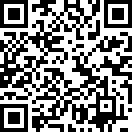 GS1 Digital Link QR Code GeneratorCreate GS1 Digital Link QR Code barcodes free. PNG, SVG, PDF.QR Code GeneratorFree static QR codes with colors and logo. No sign-up.
 GS1 Data Matrix GeneratorCreate GS1 Data Matrix barcodes free. PNG, SVG, PDF.
 GS1-128 GeneratorCreate GS1-128 barcodes free. PNG, SVG, PDF.GTIN Check Digit CalculatorGTIN-8, 12, 13 and 14 check digit calculator.Online Barcode ScannerScan any barcode with your phone or webcam camera.QR Code vs Barcode1D vs 2D codes and which to choose.What Is a GTIN?GTIN-8, 12, 13 and 14 in plain English.