How to create a Swiss QR Code barcode
- Enter your data in the box above. Fields in the Swiss QR-bill order, separated by ^CR^LF (a line break). Starts SPC, 0200, 1, then IBAN, creditor, amount, currency, debtor, reference type and reference, and ends EPD. The data is not validated, so check it against your bank's spec.
- The barcode updates live as you type. Open Customize to change the bar height, colors, rotation or quiet zone.
- Click Download PNG for labels and documents, or SVG / PDF for print and packaging design.
- Test it with our online barcode scanner before you print a large run.
What is a Swiss QR Code barcode?
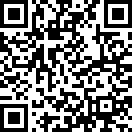
A Swiss QR code is the payment QR code on the Swiss QR-bill (QR-Rechnung, QR-facture). It is a standard QR code with a Swiss cross in the centre, and it holds everything a banking app needs to pay the bill: the creditor's IBAN or QR-IBAN, name and address, the amount and currency (CHF or EUR), the debtor and a payment reference.
QR-bills were introduced on 30 June 2020 and fully replaced the old orange and red payment slips on 30 September 2022. The format is set by SIX in the Swiss Implementation Guidelines for the QR-bill.
Where Swiss QR Code is used
- Invoices and bills for payment in Switzerland and Liechtenstein
- Payment slips attached to letters or PDF invoices
- Donation requests from Swiss charities
- Accounting and invoicing software output
Swiss QR Code specifications
| Type | QR code with Swiss cross overlay |
|---|---|
| Error correction | Level M |
| Maximum version | 25 (117 × 117 modules) |
| Printed size | 46 × 46 mm on the payment part, cross 7 × 7 mm |
| Currencies | CHF and EUR |
| Reference types | QRR (with QR-IBAN), SCOR (ISO 11649 creditor reference) or NON |
| Data format | Lines from header SPC to trailer EPD, per SIX guidelines |
Tips for a barcode that scans first time
- Use the default example as a template and replace each line with your own data, keeping empty lines for unused fields.
- A QRR reference needs a QR-IBAN. A normal IBAN must use SCOR or NON.
- Print the code at 46 × 46 mm in the payment part of the QR-bill, and test it with a Swiss banking app before sending.
- This tool draws the code exactly as you enter it. It does not check the IBAN or reference, so validate them first.
Frequently asked questions
What is a Swiss QR code?
It is the QR code on a Swiss QR-bill. Banking apps scan it to fill in the payment automatically. It has a Swiss cross in the middle so people can tell it apart from other QR codes.
Is the Swiss QR code mandatory?
Since 1 October 2022 the old orange and red payment slips are no longer accepted, so bills that people pay by bank transfer in Switzerland use the QR-bill with a Swiss QR code.
What data goes into a Swiss QR code?
A fixed list of fields, one per line: header (SPC, version 0200, coding 1), the account IBAN, creditor name and address, amount and currency, debtor details, reference type and reference, an optional message, and the trailer EPD.
What is the difference between QRR and SCOR?
QRR is a 27-digit QR reference and must be used with a QR-IBAN. SCOR is an ISO 11649 creditor reference starting RF and works with a normal IBAN. NON means no reference.
Can I use this for a full QR-bill?
This page makes the QR code part. A complete QR-bill also needs the payment part and receipt laid out to SIX's specification, which accounting software usually produces.
What size should the Swiss QR code be?
On a QR-bill it is printed at 46 × 46 mm, with the Swiss cross 7 × 7 mm in the centre. Download SVG or PDF so it prints at that size without blurring.
Related free tools
 Data Matrix GeneratorCreate Data Matrix barcodes free. PNG, SVG, PDF.
 GS1 QR Code GeneratorCreate GS1 QR Code barcodes free. PNG, SVG, PDF.QR Code vs Barcode1D vs 2D codes and which to choose.